
Florist POS

The florist POS system for stock with a short shelf life.

POS2026 helps independent florists record wastage honestly, take deposits on wedding and event work, invoice customers and keep every flower market and wholesaler purchase on file, all in a web browser.

An independent shop front with signs on a street
Fresh every morning, and counted the same way.

In short

A florist POS system should record sales of stems, bunches and arrangements, account for flowers that wilt before they sell, and track deposits on wedding and event orders. In POS2026, wastage is recorded as a stock adjustment, event balances sit on the Due List until paid, and every flower market or wholesaler purchase is kept on file.

Flowers are some of the most perishable stock in retail. A delivery that arrives on Monday has to be sold, arranged or thrown away within days, and every stem that goes in the bin is money spent with nothing to show for it. On top of the walk-in trade, many florists rely on weddings, funerals and corporate work booked weeks or months ahead.

That mix needs two kinds of record. Day to day, you need to know what you bought, sold and wasted, so the margin on fresh stock is real. For events, you need to know who has paid a deposit, what is still owed and when it is due. POS2026 handles both, alongside a till for the customer buying a bunch on the way home.

Why florists switch

Fresh stock, big orders and a lot of money in between.

Most florists know their flowers far better than their figures. The figures can catch up.

  • Wastage nobody records

    Stems that wilt in the bucket are thrown away and forgotten, so the margin on paper looks better than the margin in the till.

  • Event deposits in a diary

    A wedding booked a year ahead, a deposit taken, a balance due before the day. Kept in a diary, it is easy to lose track.

  • Market purchases on scraps of paper

    Early trips to the flower market or the wholesaler's van bring handwritten receipts that never make it into the books.

  • Peaks that make or break the month

    Valentine's Day and Mother's Day bring a rush of demand. Over-buy and the surplus wilts; under-buy and orders are turned away.

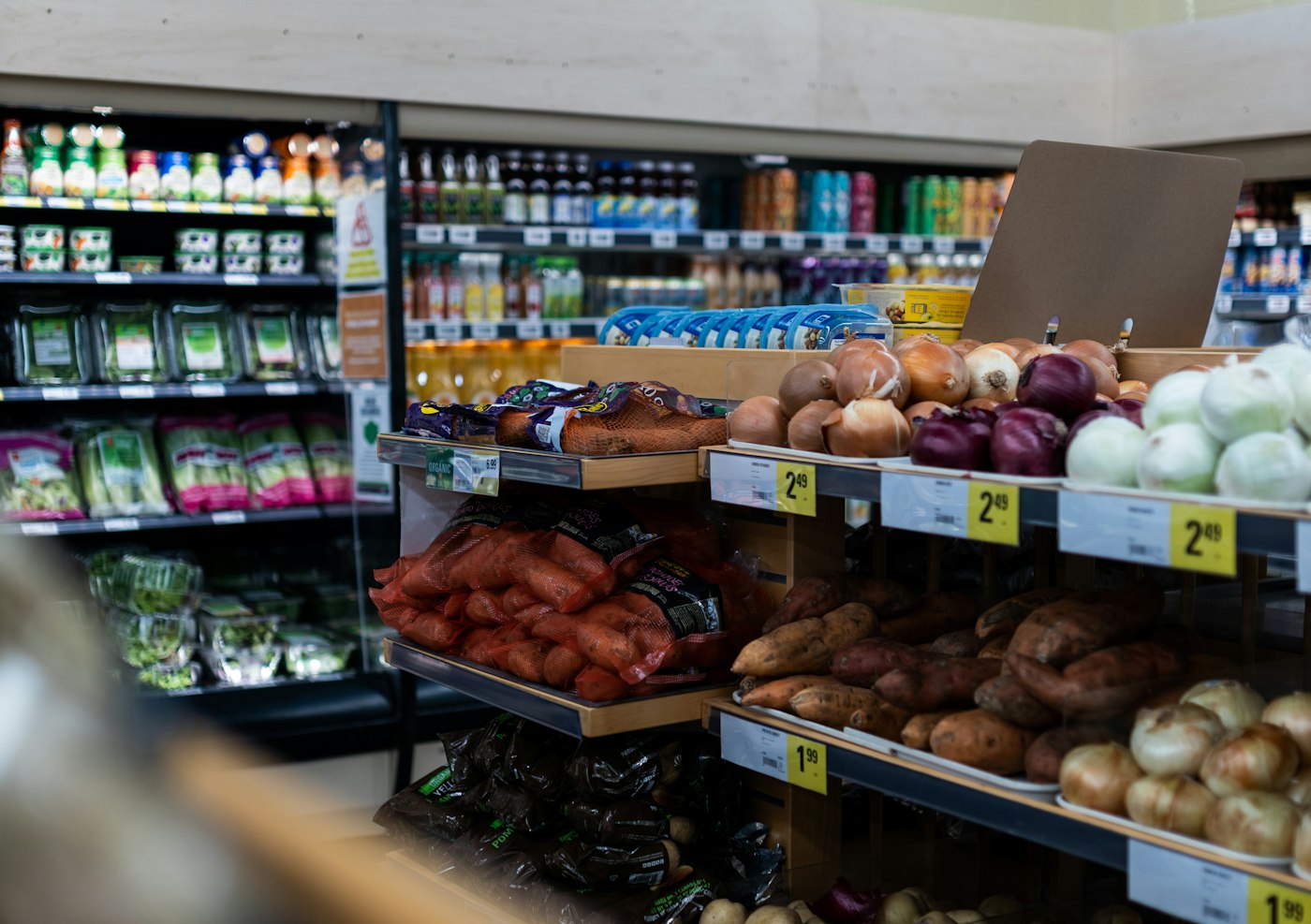
A shop display packed with fresh produce
Fresh stock has days, not months, to sell.

01 · Perishable stock and wastage

Record the stems you throw away, not just the ones you sell.

Set up the stems and bunches you sell as products, with units that match how you sell them: by the stem, the bunch or the bucket. Every sale reduces stock. When flowers go past their best, record a stock adjustment for what you throw out, so the count matches the buckets and the loss is on record.

Over a few weeks, the stock movements show which flowers you regularly over-buy. Buy fewer of those and more of what sells through, and the margin on fresh stock starts to match the figure on paper.

Wastage as adjustments

Take wilted stock off the count and keep it on record.

Stems, bunches or buckets

Sell in the unit you buy and price by.

See what you over-buy

Stock movements show the lines you keep throwing away.

How Stock works
Person using a calculator at a desk with a coffee mug
The wedding is months away; the balance date is already set.

02 · Weddings and events

Wedding and event orders, deposits and balances.

When a couple books their wedding flowers, add them in Parties and record the agreed order against their name with the deposit they have paid. What remains to pay goes onto the Due List against the date you agree, often a few weeks before the wedding, and a reminder tells you when to ask.

Funeral directors, hotels and offices that order regularly are set up the same way. Each order can be turned into an invoice listing what was supplied, and their payment history shows at a glance who pays promptly.

Deposits recorded

Each payment saved against the customer.

Balances with due dates

What is still owed before the event, with reminders.

Invoices for every order

For couples, funeral directors and offices.

How Due List works
A shop worker holding a box of fresh tomatoes
Fresh deliveries recorded the morning they arrive.

03 · Flower market purchases

Every market trip and wholesaler delivery on file.

Record each buying trip to the flower market, and each delivery from a wholesaler's van, as a purchase in Purchase against that supplier, with what you bought and what it cost. Stock goes up, and the purchase history builds a record of what you paid for each flower through the year.

Flower prices change with the seasons, so current costs matter. With purchases, wastage and sales all recorded, Loss/Profit gives the true margin, with the stems that went in the bin already counted.

Market trips as purchases

Supplier, stems and price for every trip.

Price history

See what each flower cost last time.

True margin

What the shop keeps once wilted stock is counted.

How Purchase works
A mobile phone being used to complete a payment
Bunch chosen, paid for, on its way.

04 · The till on peak days

A quick till for Valentine's Day and Mother's Day.

On the busiest days the walk-in queue needs a fast till. Tap the bunch or arrangement by its picture, or scan the label on a ready-made bouquet, note the payment method and hand over the receipt.

Afterwards, sales reports by date show what the peak sold, so next year you can buy from real figures and cut the surplus that ends up as wastage.

Pick by picture

Find a bouquet at the till from its photo.

Fast checkout

Take payment and print the receipt.

Plan from last year

Last February's roses, counted day by day.

How POS Sales works

Getting started

Set your flower shop up on POS2026.

Start in a quiet week, so the system is ready before the next peak.

  1. Try POS2026 free and set your language and currency first.
  2. Add the stems, bunches and arrangements you sell, with images and units.
  3. List the market traders and van wholesalers you buy from.
  4. Record this week's purchases so the stock is right.
  5. Add upcoming wedding and event customers with their deposits.
  6. Ring up the first bunch of the day.

Questions

Common questions.

Straight answers for shop owners, based on what POS2026 actually does.

What is the best POS system for a flower shop?

One that handles perishable stock, deposits on event work and invoices. POS2026 handles all three, and you can test it on the free trial. It does not take online orders or connect to flower relay networks, so check whether you need those.

How do I record flowers that wilt before they sell?

Record a stock adjustment for the stems you throw away. The count then matches what is really in the buckets, and stock reports show which lines you regularly over-buy.

Can I take deposits on wedding flowers?

Yes. Put the order under the couple's name with the deposit they paid, and the rest shows as owed on the Due List, with a reminder, until the final payment comes in.

Can I give invoices to corporate customers?

Yes. Hotels, offices and funeral directors can have an invoice for every order, and their record shows each payment they have made.

Does it manage deliveries?

No. POS2026 has no delivery scheduling or driver routes. Many florists keep a delivery sheet alongside it and add the delivery charge to the sale as a product. If you sell vases, cards and gifts as well, see the gift shop POS page too.

Less wastage, fewer forgotten deposits, clearer profit.

Start your free trial, add this week's flowers and sell your first bunch today.

Explore Features Get Started